Scan-to-order QR technology represents an important development in the way places provide their menus. With scan-to-order QR technology, guests can view menu items via their mobile devices. They can pick what they want, change their order, and pay. This makes it simple for everyone.
This new way links real-world work with tools running in the background. It helps both staff and people using it. It makes things easy for everyone.
How QR Ordering Systems Function
The way this workflow works is to connect the point-of-sale (POS) software, kitchen order tickets (KOT), and guest screens that are on the web. It lets them link in real time.
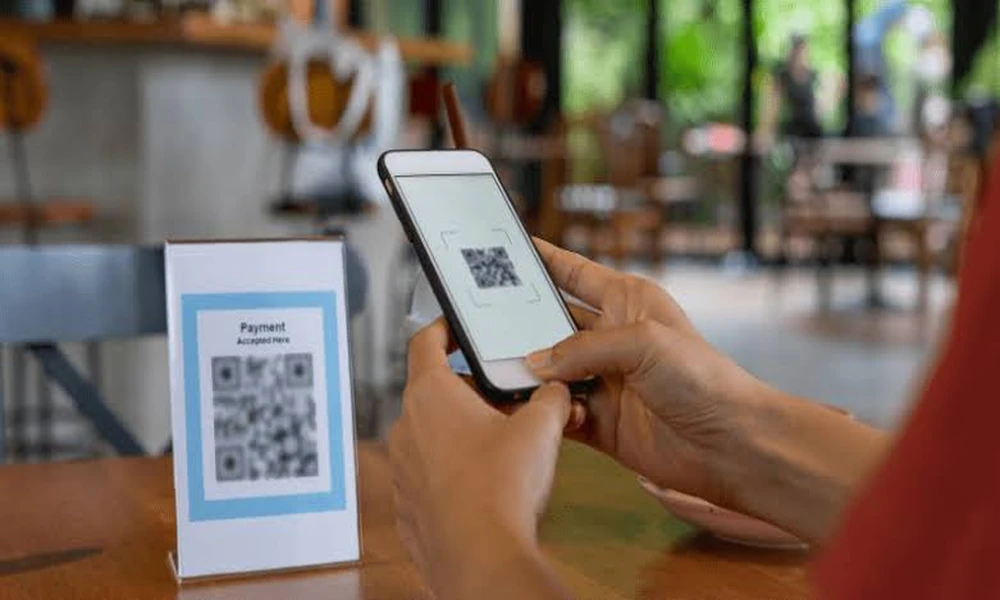
- Scanning: The guest uses their phone camera to scan the table QR code. There is no need to put in an extra app for this.
- Interactive Browsing: After scanning a scan qr to order menu that works well on mobile opens up. This menu has details about each item, clear pictures, tags for things like allergens, and real-time updates about what is still in stock.
- Order Customization: The guest can choose items and change them the way they like. They can pick diet options, how hot they want it, and which sides to get.
- Quick Sending: The order goes right away to the kitchen display system (KDS) or a printer. It is linked to the right table fast.
- Digital Settlement: Guests can pay for their food using their phone. They can use mobile wallets, local cards, or pay through different portals on their device.
Key Operational and Financial Benefits
| Operational Metric | Impact of Scan-to-Order Systems |
|---|---|
| Average Order Value (AOV) | Increases via automated visual upselling, modifier suggestions, and low-pressure browsing. |
| Order Accuracy | Eliminates miscommunication between guests and waitstaff by capturing direct guest input. |
| Table Turnover Rate | Speeds up ordering and payment cycles, reducing total table time per dining party. |
| Labor Allocation | Reallocates staff from manual order entry to food running and elevated guest relations. |
Implementing Scan-to-Order Technology
- POS and Inventory Synchronization: Connect the QR ordering portal with the primary POS system. This will help in maintaining current information about menu updates and out-of-stock products, so that they will be displayed immediately.
- Physical Placement: Acrylic stands, counter stickers, and washable tent cards should be placed in places where they can be seen easily.
- Staff Responsibility Redesigning: The front-of-house employees should be taught to greet guests, give an explanation on how the digital system works, and serve food immediately rather than writing things down manually.
When people in the hospitality business use digital systems for order entries and bill payments, work gets easier. It helps to lower printing costs. Guests get faster service and enjoy a better dining time.
With the adoption of scan QR to order codes, restaurants and coffee shops have put themselves ahead of the game in the field of hospitality. Moving from the use of paper methods leads to lower friction during all stages of the process of dealing with guests.Employees are relieved from routine chores and can instead devote their time to interacting with guests.